Export or delete your data
Download everything as a file from Settings › Data, restore it, or delete your account and all its data. What is in the export and what deletion removes.
Updated September 5, 2026 · 2 min read
Your data is yours. You can take a copy at any time, and you can remove it entirely.
Export everything
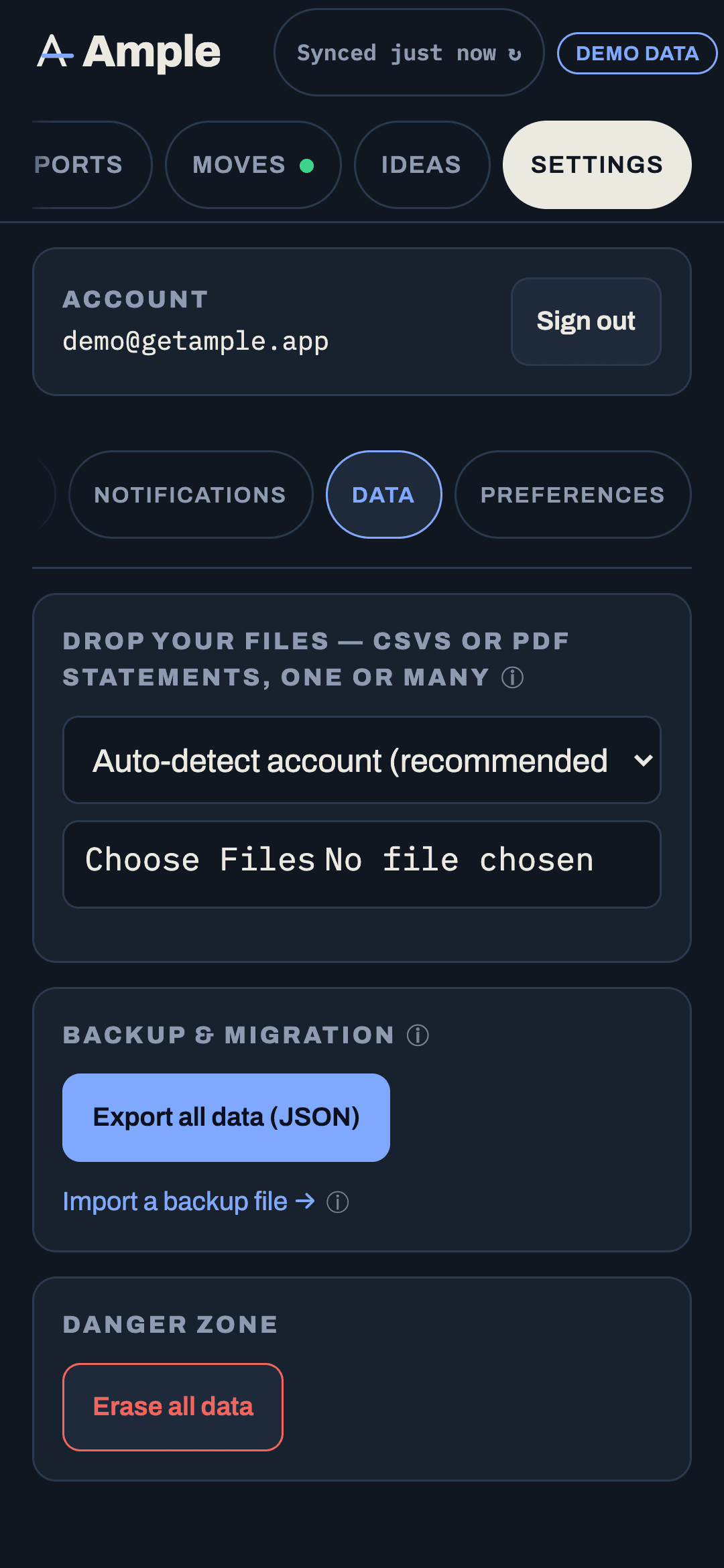
- Open Settings › Data.
- Tap Export all data.
- A single JSON file downloads with a date in its name.
The export contains everything Ample holds for you: accounts and their settings, every transaction with its category, notes, tags, splits and effective date, bills and paydays, budgets for every month, categories and groups, goals, rules, saved reports, long-range assumptions and scenarios, the Moves list and the Found-so-far ledger, and your preferences. It does not contain bank credentials, because Ample never has them, or connection tokens.
Take an export whenever you make a change you would hate to lose. It is your backup.
Export a piece
Most lists export on their own as CSV from their ⋯ menu: the transaction list under any report, the forecast grid, the Found-so-far ledger, the debt planner. These are for spreadsheets; the full export is for backup.
Restore from a file
Settings › Data › Restore accepts an export file and rebuilds your data from it. Restoring replaces what is in your account with the file's contents, so Ample asks you to confirm and suggests exporting first. Restore is how you move to a new account or roll back a bad edit.
Delete your account
- Open Settings › Data and scroll to the danger zone.
- Tap Delete account and data.
- Type the confirmation word and confirm.
Deletion removes your account, every row of your data, and your bank connection tokens, and revokes those connections on Plaid's side. Backups held by the hosting provider age out on their retention schedule (up to 30 days). Email addresses on the early-access list are separate; ask us to remove yours if you want that too.
If you would rather we do it, write to the Contact address from the email on your account and we will confirm when it is done.
Disconnect without deleting
To stop syncing a bank but keep the history, remove the connection under Settings › Connections. To stop everything but keep the account, remove every connection; nothing new arrives and what you have stays.
After a subscription ends
Once the pilot is over and plans are live: when a paid period ends without renewal, the account stays readable for the rest of the period, connections are then disconnected, and the data is deleted 30 days after that unless you export or renew. You will get a reminder before that happens.
More in Account & security
Still stuck?
Tell us what you were trying to do and what happened. A person reads every message.
Contact support