Reconnecting a bank
Why a connection needs a reconnect, how the health dashboard tells you, the exact taps, and what to check when a bank stops syncing.
Updated September 5, 2026 · 2 min read
Banks expire connections. Passwords change, a bank adds a new security step, or the bank's own systems ask for consent again. When that happens the connection stops syncing and Ample tells you, once, in the right place.
How you find out
- The Connections page (Settings › Connections) shows each institution with a status badge and its last synced time. A connection that needs attention shows Reconnect.
- The notifications bell carries a sync item with the same message.
- Today shows an alert only when the stale connection affects something it is showing you (a bill it cannot see, a balance that is old).
Ample shows Reconnect only when the bank actually requires it. A connection that is merely slow does not get the badge.
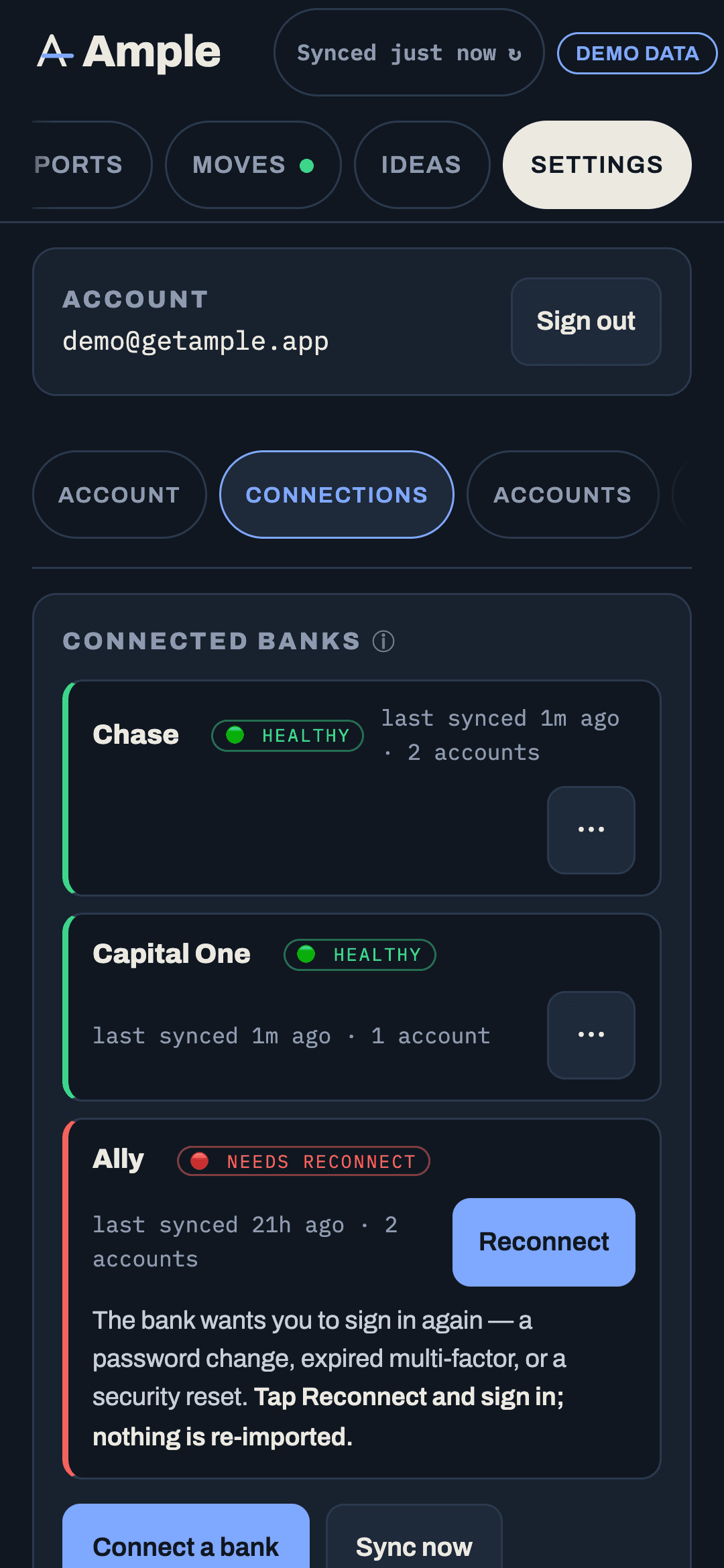
Reconnect
- Open Settings › Connections.
- Tap the connection and then Reconnect.
- Sign in on the Plaid screen and complete any step the bank asks for.
- Ample runs a sync immediately. The badge clears and the last synced time updates.
Your history is untouched. Reconnecting refreshes the permission; it does not create a second copy of your accounts. If the bank shows a new account you did not have before, you can choose whether to include it.
If Reconnect keeps failing
- Try once more later. Banks have maintenance windows, and Plaid's status page will show an outage for a specific institution.
- Check the bank's own site for a pending consent or security prompt. Some banks require you to approve third-party access in their settings before Plaid can connect.
- Check for a password change. If you changed the bank password recently, the reconnect will ask for it.
- Remove and add the connection fresh if a reconnect loops. Removing deletes the token; the transactions already synced stay, and adding the bank again links the same accounts to the same history by account number.
A connection that syncs but shows nothing new
That is a different problem, usually a bank that reports balances but delays transactions. The health dashboard shows the last sync time and any error the bank returned; if balances refresh and transactions do not for more than a few days, use Sync now on the connection and, if it persists, write to us with the institution's name. We can see the connection's status on Plaid's side (never your credentials) and often the fix is on the bank's end.
Manual accounts
An account you added by hand (a bank or loan company not in Plaid's catalog) does not sync and does not need reconnecting. Update its balance by tapping it on Net worth; the next time you type a figure it replaces the old one.
More in Account & security
Still stuck?
Tell us what you were trying to do and what happened. A person reads every message.
Contact support