Your first budget
What Ample sets up for you from your history, what to check, and how to get the month to balance with the buckets and the summary rail.
Updated September 5, 2026 · 3 min read
Once your accounts have synced and your paycheck is set, the Budgets page has a first draft waiting. Here is how to read it and what to adjust.
What Ample drafts for you
- The income line for the month: the number of official paydays in the month times your net pay. A month with three paydays shows a "3 paychecks" chip.
- Fixed categories seeded from your recurring bills, with the bill amount as the budget. Mortgage or rent, car payment, insurance, utilities, subscriptions.
- Flexible categories seeded from your last six months of spending: groceries, gas, dining, shopping, and so on, grouped under headings you can rename.
- Non-monthly candidates for anything that recurs less often than monthly or spikes once a year, offered as seeds you accept or reject.
- Savings & goals empty until you add a goal or a planned transfer.
Nothing is locked in. Every budget cell is editable by tapping it.
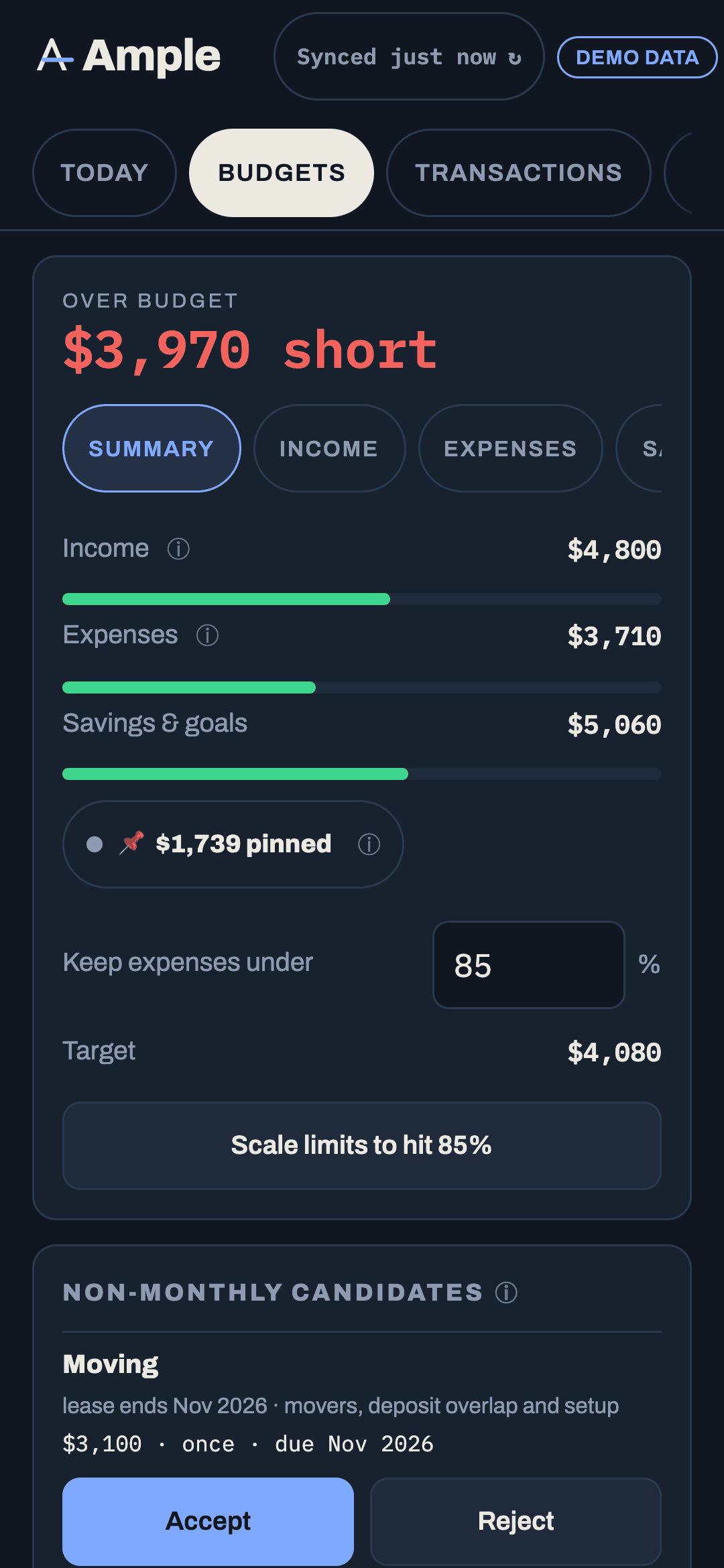
Read the rail
The right-hand panel (top card on a phone) shows Left to budget: income minus fixed, non-monthly accruals, the flexible pool, and savings contributions. Green means the month has room; "Balanced" means every dollar has a job; red shows how much the plan exceeds the income. The first draft is often red, because it budgets everything you actually spent. That is information, not a verdict.
Three passes to a month that balances
- Check the fixed bucket. These should match your bills. If a bill is missing, add it on the Recurring page and it appears here. If a category has spend but no budget, it is flagged "no budget" and counted; give it one or move the transactions.
- Set the flexible pool. Flexible categories pool together: the header reads "Flex $spent of $pool · $left." Decide the pool, then let the categories inside be guides rather than limits. Pin any category you want held exactly.
- Use Scale if you need to. The rail's target percentage lets you scale the unpinned flexible categories proportionally to hit a target. If the pinned categories alone exceed the target, Scale is disabled and says why.
Rollovers and non-monthly, briefly
Turn on rollover for any category where the leftover should carry into next month (car maintenance, clothing). Accept the non-monthly seeds for annual and quarterly bills so the month accrues toward them instead of getting hit all at once. Both have their own articles in the Budgets section.
Month to month
Edits you make carry forward to future months; a change meant for one month only can be marked that way. Past months show planned against actual; future months show planned only. The Forecast grid under Plan shows all twelve months at once, and edits there and here are the same data.
When the verdict disagrees with you
Today's one-word verdict comes from the worse of two lenses: is this pay cycle covering its bills, and are the budgets pacing. Early in the month the pacing lens can look hot because a big charge landed on the first. Severity follows materiality, so a small overage is a chip and a large one is louder. If a category is consistently flagged and you are fine with the spending, raise its budget; the verdict is meant to match your intentions, not the other way round.
More in Getting started
Still stuck?
Tell us what you were trying to do and what happened. A person reads every message.
Contact support