Set up your paycheck: official payday and early release
Give Ample one anchor date and your net pay, and it lays out every payday, every 3-paycheck month, and every this-paycheck plan from it.
Updated September 5, 2026 · 2 min read
Everything in Ample runs from your payday. Set it up once and the payday calendar, the income line in every month's budget, the 3-paycheck months, and the plan for each check follow from it.
The three fields
Open Settings › Preferences › Paycheck (also reachable from the Today screen the first time).
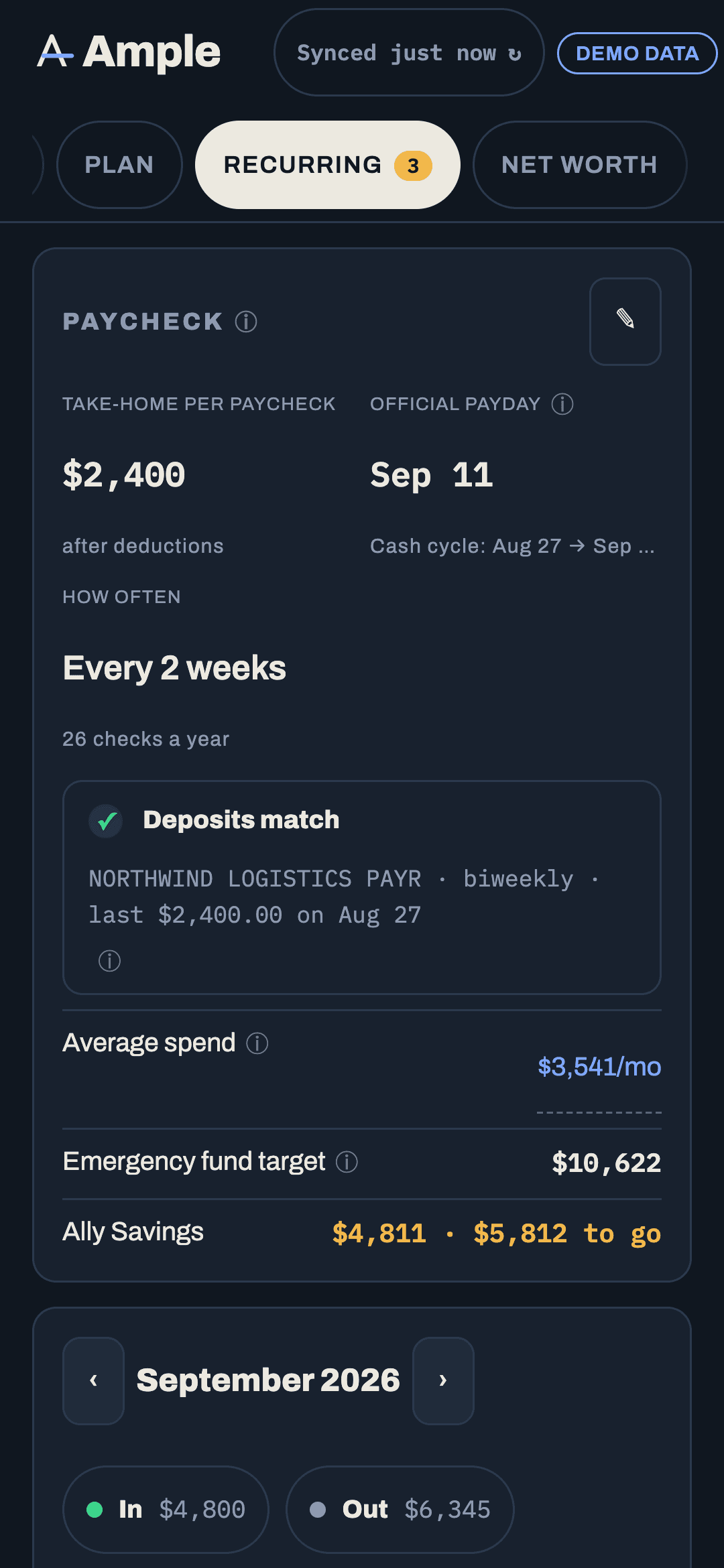
- Official payday. The date on your pay stub, for your next or most recent check. For biweekly pay this is the anchor: every other payday is exactly fourteen days from it. Months are attributed by this date.
- Net pay. Your typical take-home per check, after taxes and deductions. Used for the income line in each month and for planning. If your checks vary, enter a typical one; actual deposits are used once they land.
- Early release. How many days before the official payday your bank makes the deposit available. Many banks release direct deposits one or two days early. Default is 2. Set it to 0 if your deposit lands on the official day.
Why official payday and early release are separate
If your official payday is Friday, January 1 and the money arrives Wednesday, December 30, two different things are true at once: the cash is in checking on the 30th, and the check belongs to January.
Ample keeps both. Cash math (this paycheck's plan, what is safe to spend until the next check, the buffer) uses the real landing day. Month attribution (paydays in a month, the income line, 3-paycheck months, mortgage halves per month) uses the official date. That is how December does not get three paychecks by accident while January gets one.
Under the hood, a deposit that posts within the early-release window before an official payday is tagged with that payday as its effective date. You can see it on the transaction: the row shows the effective date, with "posted Dec 30" as a muted suffix.
Payroll verification
Ample detects your payroll deposits by matching the employer's name and an amount close to your net pay. The Income report shows a Payroll badge with the merchant it matched, so you can confirm it picked the right deposits. If it matched the wrong ones, or missed one, see Fixing a miscategorized paycheck.
Weekly, semimonthly or irregular pay
Biweekly is the default because it is what Ample is built around, and the pilot is focused on it. Weekly pay works the same way with a seven-day stride and four 5-paycheck months a year. Twice-a-month pay (the 1st and 15th, say) has no extra-paycheck months; enter the two dates and Ample plans each half. If your pay varies week to week, enter the schedule and a conservative net amount; Ample uses actual deposits as they land and will flag a light check on Today.
Changing it later
You can edit any of the three fields at any time. Changing the official payday re-lays the calendar from the new anchor and re-tags paychecks; nothing you set by hand on a transaction is touched.
More in Getting started
Still stuck?
Tell us what you were trying to do and what happened. A person reads every message.
Contact support